Custom AI vs Off-the-Shelf AI: When to Build, Buy, or Integrate
- Updated: Jul 21, 2026
- 12 min

CEO
If you’re weighing custom AI software development against a ready-made tool, there’s no universal right answer. But there is the correct choice that depends on your specific situation.
At SpdLoad, we always ask our clients these questions when they reach out for AI software development and not sure if they need a custom solution or a ready-made one:
- How unique is the workflow you’re trying to improve?
- Is the data involved sensitive, or does it need to stay private?
- Do you need this AI tool to talk to your other systems, or can it work on its own?
- What’s your budget, both now and over the next few years?
- How accurate does the output need to be?
- How many people or requests will actually use this thing once it’s live?
Once we’ve got all the answers, the decision usually becomes much clearer. If its a standard task, like drafting marketing copy or summarizing meeting notes, there is no need for a custom-built solution. But a workflow that’s core to how your business operates or needs to scale with real precision, often needs one.
This article walks through the main approaches available today: ready-made AI tools, external APIs, RAG (retrieval-augmented generation) solutions, fine-tuned models, and fully custom AI development.
We’ll compare them directly and give you a practical checklist so you can make this call with confidence.
Which AI Approach Fits Your Situation?
Before diving into the topic, here’s a quick overview of possible options, their advantages and limitations:
| Approach | Best for | Advantages | Limitations |
| Ready-made AI tool | Standard workflows | Fast rollout, low initial cost | Limited customization |
| External AI API | Adding common AI capabilities | Flexible integration, faster way to build AI MVP | Dependency on provider |
| RAG solution | Using internal knowledge sea an curely | Grounded responses, company-specific context | Requires data preparation |
| Fine-tuned model | Repeated domain-specific tasks | Better task adaptation | Evaluation and maintenance complexity |
| Custom AI solution | Unique workflows and competitive differentiation | Maximum control | Higher cost and longer delivery |
What Is an Off-the-Shelf AI Solution?
An off-the-shelf AI solution is a tool that’s already built and ready to use. Someone else designed it, trained or connected the model, and packaged it so a business can start using it right away.
Common examples include:
- Chatbot platforms for customer support (Intercom’s Fin, Zendesk AI Agents, or Gorgias for e-commerce teams).
- Tools that summarize meeting transcripts (Otter.ai, Fireflies, or Fathom).
- Software that generates marketing copy or product descriptions (Jasper, Copy.ai, or Copysmith).
These tools are fast and easy to set up. You just need to sign up, connect it to your workflow, and can start using it the same day. 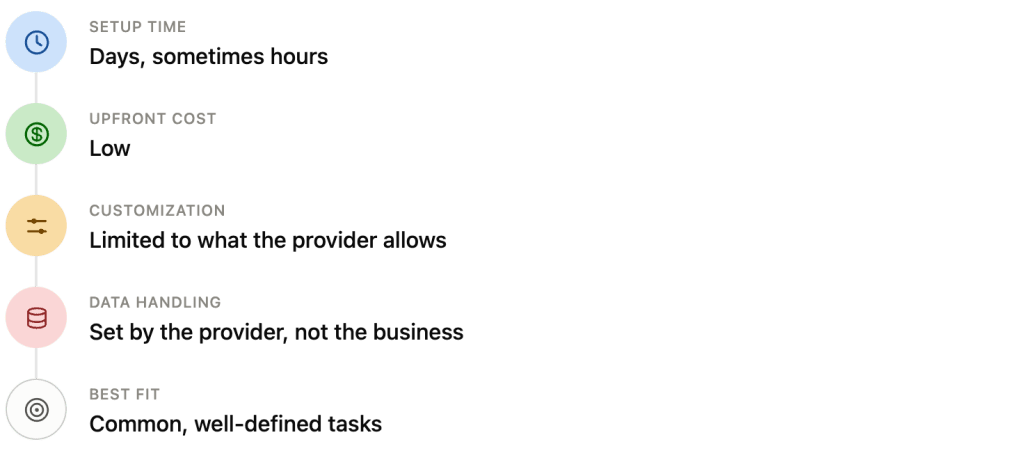
These tools work well when the task is standard and doesn’t require anything unusual. They’re built to serve many companies at once, so they cover the most common needs well, but they won’t adapt to workflows that fall outside that standard shape.
What Is Custom AI Development?
Custom AI development means building a solution specifically around how a business works. This doesn’t necessarily mean training a new model from scratch. In most cases, it means one or more of the following:
- Building custom logic around an existing model using a foundation model (like the ones behind ChatGPT or Claude) with custom prompts, rules, and integrations designed for a specific workflow.
- Grounding the model in company data by connecting it to internal knowledge so its answers reflect the business’s own information.
- Fine-tuning which is basically training a model further on a company’s own tasks and examples, so it performs better on that specific work over time.
What makes a solution “custom” is that someone studied the actual process and built something to match it, instead of asking the business to adjust to a standard product. 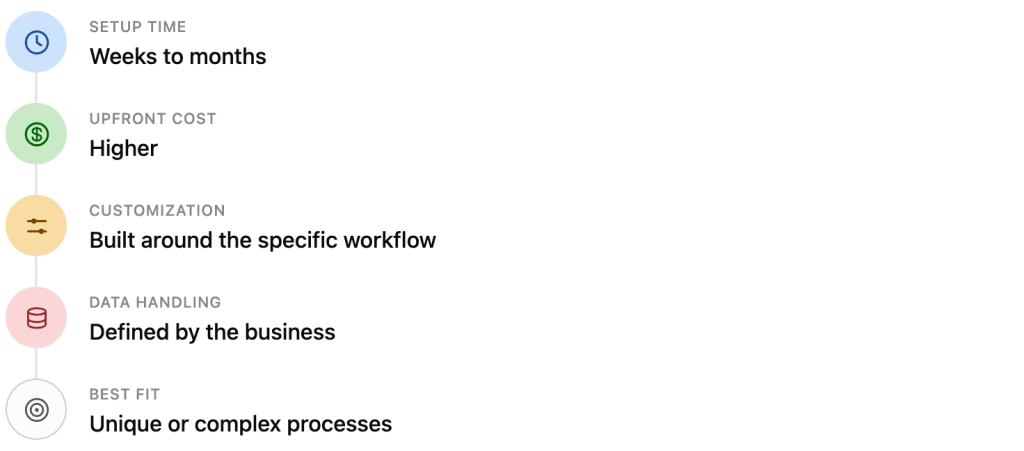
Custom AI vs Off-the-Shelf AI: Key Differences
These are the things that affect a business day-to-day:
| Factor | Off-the-Shelf | Custom AI |
|---|---|---|
| Speed to launch | Days to weeks | Weeks to months |
| Initial budget | Low | Higher |
| Long-term cost | Can add up with per-seat or usage fees | Depends on scale, but often more predictable |
| Data privacy | Controlled by the provider | Controlled by the business |
| Integrations | Limited to what’s supported | Built to fit existing systems |
| Control | Minimal | High |
| Accuracy | Good for general tasks | Can be tuned for specific tasks |
| Scalability | Depends on provider’s limits | Built to scale with the business |
| Maintenance | Handled by the provider | Handled by the business or its vendor |
| Competitive differentiation | Low, since competitors use the same tools | Higher, since the solution is unique |
I want to highlight a few of these factors in more detail, as they require more attention.
- Data privacy. With an off-the-shelf tool, company data often passes through a third-party system. That’s fine for many use cases, but not for businesses that handle sensitive information like health records or financial data. Custom solutions let a business decide exactly where data goes and who can access it.
- Long-term cost. Off-the-shelf tools look cheaper at first. But subscription costs scale with usage, and over a few years, that can add up to more than a custom build would have cost. Calculate both the short-term and long-term numbers before deciding.
- Competitive differentiation. If a business uses the same off-the-shelf tool as its competitors, it gets the same capabilities as everyone else. Custom AI, built around a specific business process, can become a competitive advantage.
However, none of these factors matter equally in every situation. A small business automating email replies doesn’t need the same considerations as a healthcare company processing patient data. In the next sections, we’ll look at how to weigh these factors based on real business situations.
SpdLoad can help you choose the least complex solution that solves your business problem.
When Is an Off-the-Shelf Tool Enough?
According to the recent AI index report, organizational AI adoption reached 88% in 2026.
This rapid AI adoption might cause the FOMO effect since it feels like everyone has already integrated artificial intelligence into their workflow. And a bonus point if this is not just a generative AI, but some kind of custom solution like an AI agent.
As a CEO of an AI development company and a team that uses AI in product development, I believe not every business problem needs a custom solution. In fact, most don’t. Here are situations where an off-the-shelf tool is usually the right call.
- The task is common and well-understood. If a business needs help with things like drafting emails, summarizing documents, or answering frequently asked customer questions, these are problems that have already been solved well by existing tools.
- The budget or timeline is tight. Startups testing a new idea, or small businesses trying AI for the first time, often can’t justify months of development before seeing results. An off-the-shelf tool lets them start using AI immediately and learn from real usage before investing further.
- The data involved isn’t sensitive. If the information passing through the tool is general business content, like marketing copy or public-facing communication, there’s less risk in using a third-party platform.
- The workflow doesn’t need deep integration. Some tasks can stand on their own, without needing to connect to five other internal systems. In these cases, a standalone tool is simpler and easier to manage than a custom-built integration.
The key question to ask is simple: does this tool solve the actual problem, or does it just get close? If it solves it, there’s usually no need to look further.
When Does Custom AI Become Worth the Investment?
Custom AI systems start to make sense when a business hits the limits of what standard tools can offer. Here are a few signs that point clearly in this direction:
- The workflow is unique. If a business process doesn’t match how most companies operate, a generic tool will only get partway there. The rest ends up being manual work, which defeats the purpose of using AI integration in the first place.
- Request volume is high. When AI is handling thousands of interactions a day, small inefficiencies add up fast. A custom solution built for that specific volume and pattern usually performs better and costs less over time than paying per-seat or per-request fees on a generic platform.
- The data is proprietary. If a business has its own data, internal documents, historical records, product specifications, that gives it an advantage competitors don’t have. A custom solution can be built to use that data directly to produce answers and outputs that a generic tool never could.
- Compliance requirements are strict. Industries like healthcare, finance, and legal services often have specific rules about how data is stored, processed, and accessed. Off-the-shelf tools aren’t always built with those rules in mind. Custom development lets a business meet its compliance obligations directly instead of hoping a third-party tool happens to comply.
- Integrations are complex. If AI needs to work across several internal systems, like a CRM, an inventory system, and a support platform, a custom solution can be built to connect all of them smoothly. Off-the-shelf tools often support only the most common integrations, leaving gaps that need manual work to fill.
- Automation needs to be measurable. When a business needs to track exactly how AI is affecting specific metrics, like response time or resolution rate, a custom solution can be built with that measurement in mind from the start.
- Standard tools keep falling short. Sometimes the clearest sign is simple: a business has tried two or three off-the-shelf tools, and none of them quite fit. That pattern usually means the problem is specific enough to need its own solution.
None of these signs alone means custom AI is required. But when two or three line up at once, it’s usually a strong indication that a generic tool won’t be enough.
When Is RAG the Middle Ground?
Between a generic off-the-shelf tool and a fully custom-built model, there’s a middle option: RAG (retrieval-augmented generation). Here’s how RAG development is different:
A standard AI model only knows what it was trained on, which is general information from the internet, not a specific business’s internal knowledge. RAG changes that by connecting the model to a business’s own documents, records, or databases. When someone asks a question, the system first retrieves the relevant information from that internal source, then uses the AI model to generate an answer based on it.
This matters for a few reasons.
It grounds answers in real information. A model without RAG can sometimes generate answers that sound right but aren’t accurate, especially about specific, internal, or recent information. RAG reduces this by giving the model something concrete to reference instead of relying on memory alone.
It uses existing company knowledge. Most businesses already have manuals, policies, support tickets, product documentation, or research reports sitting in some system. RAG-based AI application lets that information actually get used, without needing to retrain a model from scratch every time something changes.
It’s faster and cheaper than fine-tuning. Fine-tuning a model takes time, technical expertise, and ongoing maintenance as things change. RAG, by comparison, mainly requires organizing the data properly, connecting it to the model, and keeping it updated. When a policy changes, updating the source document is often enough. No retraining required.
That said, RAG isn’t automatic. It requires some upfront work:
- Organizing and cleaning the data so it’s usable.
- Structuring it so the system can retrieve the right information quickly.
- Reviewing results to make sure the retrieved answers make sense.
Once that groundwork is done, though, RAG tends to offer strong value for the effort involved.
For many businesses we’ve been working with at SpdLoad, RAG hits a practical sweet spot. It’s more accurate and more tailored than a generic tool, without the cost and complexity of building a fully custom model from the ground up.
A Build-vs-Buy Decision Checklist
Here’s a practical checklist to go through with a team when working on your AI strategy.
Start with the workflow itself.
- Is this a common task, or something specific to how the business operates?
- Have other companies solved this exact problem well already?
- How often will this workflow need to change or expand over time?
Look at the data involved.
- Is the data sensitive, regulated, or confidential?
- Does the business have internal data that could make the AI more useful and accurate?
- Where does this data need to live, and who’s allowed to access it?
Think about scale.
- How many requests or users will this AI handle right now?
- How much will that grow over the next one to two years?
- Do per-seat or per-request costs make sense at that volume?
Check the integration needs.
- Does this AI need to connect to other internal systems?
- How many of those systems already have existing integrations available?
- What happens if a needed integration doesn’t exist yet?
Be honest about budget and timeline.
- What’s the budget for the next three months? The next year?
- Is there a hard deadline, or is there room to build something more tailored?
- What’s the cost of waiting versus the cost of building the wrong thing quickly?
Consider the long-term picture.
- Will this tool still fit the business in two years, or will it be outgrown?
- Does using a standard tool put the business at a disadvantage compared to competitors?
- Who will maintain this solution long-term, and what does that cost?
Questions to Ask an AI Development Vendor
Once you’ve decided whether to build or buy, the next stage is looking for a reliable vendor. The right questions early on can save a lot of trouble later. Here are the ones worth adding into your AI vendor selection checklist:
1. What exactly will this solution do, and what won’t it do?
A good vendor should be able to describe the solution’s actual capabilities clearly, including its limits. If the answer is vague or overly broad, that’s worth noticing.
2. How will our data be used, stored, and protected?
This matters for every business, but especially for those handling sensitive or regulated information. The answer should cover where data is stored, who can access it, and whether it’s used to train any models beyond the business’s own use.
3. What happens to our data and solution if we stop working with you?
This question reveals a lot about vendor lock-in. A trustworthy vendor should explain how the business can access, export, or transition away from the solution if needed.
4. How will this integrate with our existing systems?
It’s worth asking specifically about the systems already in use, not just in general terms. A vendor should be able to speak to real integration points, not just say “yes, we can integrate with anything.”
5. What does the timeline actually look like, from start to launch?
Timelines that sound too fast for the scope of work are worth questioning. It’s useful to ask for a breakdown of what happens at each stage.
6. How is accuracy measured and tested before launch?
A vendor should have a clear process for testing the solution against real scenarios before it goes live, not just general claims that it will work.
7. What ongoing maintenance or updates will this require?
AI solutions usually need some level of ongoing attention, whether that’s updating data sources, retraining models, or fixing issues that come up. It helps to know upfront what that looks like and who is responsible for it.
8. What’s included in the cost, and what isn’t?
Some costs show up later, like hosting, API development integration and usage fees, or support after launch. Asking for a full breakdown upfront avoids surprises down the road.
9. Can we see examples of similar work you’ve done?
Past examples, especially ones close to the business’s industry or use case, give a much clearer picture than a general portfolio.
10. Who owns the final solution?
It’s worth being clear, in writing, about who owns the code, the model configuration, and any resulting intellectual property.
These questions won’t guarantee a perfect outcome, but they help separate vendors who understand the work from those who are just selling a service.
Custom AI Solution vs Off-the-Shelf AI: Making a Final Choice
Choosing between custom AI and an off-the-shelf tool means matching the solution to the actual problem facing your business.
Sometimes that means a ready-made tool, brought in quickly and used as-is, because the task is common enough that someone else has already solved it well. Sometimes it means RAG, connecting an AI model to a business’s own knowledge so answers reflect real, specific information. And sometimes it means a fully custom solution, built because the workflow, the data, or the scale genuinely calls for something purpose-built.
None of these choices is automatically right or wrong. What matters is being honest about the workflow, the data involved, the budget, and where the business expects to be in a year or two. A decision made with that clarity tends to hold up. One made just to move fast, or just to avoid spending more upfront, often needs to be redone later, usually at a higher AI development cost.
If it’s still unclear which direction fits best, that’s a normal place to be. Every business’s situation is different enough that a general answer only goes so far. Feel free to reach out and talking it through with our team. We’ve built both custom AI solutions and off-the-shelf integrations and can help you clarify things and calculate AI-project ROI a lot faster than trying to work it out alone.
Compare ready-made tools, API integrations, and custom AI before investing in development.