
wordpress maintenance service
Keep your WordPress websites up-to-date, secure, and performing at its best with our premium WordPress maintenance services
Talk to usCommon WordPress Issues We Handle
-
Website Launch Failures
Ensure your website is always up and ready for users. -
Unexpected Redirects
Remove malicious redirects to dubious websites, preserving your site's integrity. -
Error Messages
Address error messages promptly, whether on your site or in the dashboard, to keep everything running smoothly. -
Outdated WordPress Versions
Keep your WordPress version updated to protect against security vulnerabilities. -
Plugin Conflicts
Identify and resolve conflicts between plugins that could affect site performance. -
Security Alerts
Investigate and fix issues if search systems flag your site as possibly hacked.
Solutions to Your WordPress Challenges
-

Instant Resolution
We immediately diagnose issues and implement fixes to restore uptime and prevent revenue losses from site downtime. -

Expert Assistance
Highly-trained WordPress engineers are available round the clock to isolate bugs, repair faulty code, and get sites back online quickly. -

Proactive Security
We scan for threats, install firewalls, leverage two-factor authentication, and address vulnerabilities to combat attacks before they cause disruption.
See Our Case Studies
- E-commerce
- eLearning app
- HR Solution
- Telemedicine platform
- Decentriq


Find out how the cutting-edge innovation in gift-giving that utilizes complex, architect-level solutions works behind the scenes.
- Ukraine
- 8 people
- 8 months
- Mobile and web applications


Learn more about how the eLearning app implemented an innovative business model for an old problem.
- India
- 6 people
- 4 months
- Mobile applications


Discover how a startup in HR shapes employee management in enterprise-level companies using complex tech solutions.
- Germany
- 5 people
- 2 years
- Web application


In this case study, we show how we helped a non-technical founder create the most user-friendly telemedicine app.
- USA
- 6 people
- 5 months
- Mobile and web apps


We did design and develop a recognizable corporate website. Take a look on what we’ve done.
Our WordPress Maintenance Services Step-by-Step
Onboarding Call Comprehensive Auditing Installing Monitoring Emergency Procedures Regular Reporting 1 / 5
We begin by scheduling a detailed kickoff call to dive into your WordPress setup, infrastructure, and any specific goals or concerns you have. During this call, we’ll also establish key contacts for ongoing support and outline the maintenance plan to ensure the smooth operation of your WordPress site.
2 / 5
Once the maintenance tasks are clear, our experienced engineers conduct an in-depth audit of your WordPress site. We evaluate everything from plugins and themes to security measures, speed, and the hosting environment. This helps us establish a benchmark for the current state of your site, identifying any potential issues before they become problems.
3 / 5
We implement real-time tracking across crucial site performance metrics, such as uptime, page load speed, and plugin health, so we can spot emerging issues 24/7. This proactive monitoring ensures your site is always running smoothly, providing you with peace of mind and reducing downtime.
4 / 5
In case of emergencies, we set up and test emergency response procedures. This includes creating a direct communication channel to escalate urgent issues quickly. If something critical arises, we can alert the right stakeholders immediately, allowing us to take action fast and minimize any disruption to your WordPress site performance.
5 / 5
By the end of our WordPress maintenance services, you’ll receive scheduled reports that give you a comprehensive overview of your WordPress site's health. These reports include key insights into plugin updates, malware removal actions, performance optimization recommendations, and detailed information about any incidents or repairs. With our expert WordPress support, we keep you fully informed and ensure your website is continuously optimized.
Why Businesses Need WordPress Website Maintenance Services
-

Security
WordPress maintenance services designed to protect your site from security risks and cyber threats. Updating WordPress core files and plugins helps safeguard your site from hackers and data breaches.
-

Optimal Performance
Ongoing WordPress maintenance support support keeps your website running smoothly. Our support team can help you with improving site speed, fixing bugs, and resolv performance issues.
-

Continuous Functionality
With consistent updates and troubleshooting, all features of your website stay functional, from forms to payment gateways, ensuring everything works seamlessly as WordPress and plugins evolve.
-

SEO Optimization
Website maintenance optimizes page speed, refreshes content, and applies the latest SEO best practices, which can improve search rankings and visibility.
-

Backup & Recovery
Regular backups protect your site. If something goes wrong, a backup allows for quick recovery, minimizing downtime and keeping your site accessible.
-

Legal & Compliance Updates
Site maintenance keeps your site aligned with legal requirements like GDPR and CCPA. Updating privacy policies and data protection measures fosters trust with visitors.
Other Services We Provide for WordPress Sites
All WordPress Services We Offer
Boost your business with our WordPress maintenance and support services
- Custom WordPress Website Development Fully custom sites tailored to exact project goals and end-user needs
- Web Development WordPress websites designed to precisely match project goals and end-user needs, focusing on security, speed, and scalability.
- Custom WordPress Plugin Development Building plugins with unique functionality not covered by out-of-the-box options
What do our customers say about us?

LegalTech 8 months


“Early-launched LegalTech platform acquiring first clients in 3 months”

Enterprise 2 years

“A cross-platform design tool for SharePoint, Microsoft Teams, and SAP”

EdTech 3 years

“After launching, the client raised funding with the support of H&S Investments”

Insurtech 6 months

“A user-friendly home warranty software focused on transparency and customer choice”
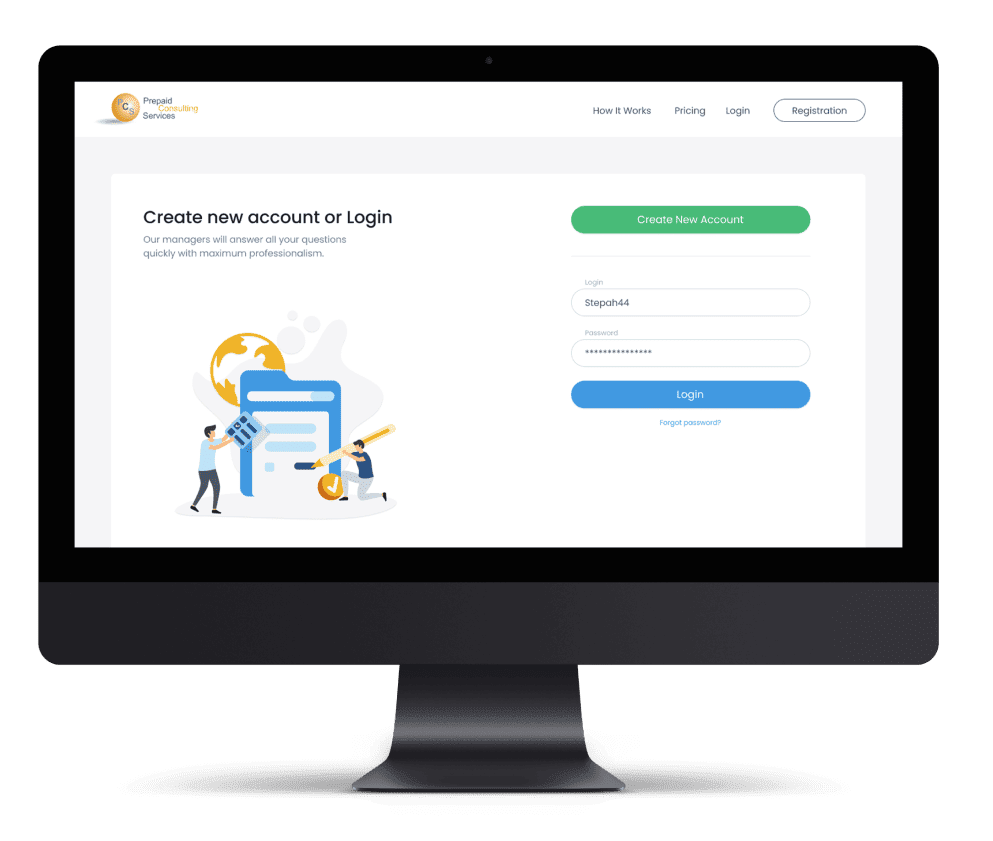
B2B Enterprise 1 year

“From manual consulting workflows to a scalable, automated marketplace”

HR 2 years

“Scalable MVP that helped founders raise Series A funding”

PetTech 1 year

“Scheduling-first pet care marketplace with real-time tracking and chat”

GIS 4 months

“Our efficient project management delivered a 20% faster turnaround”

Healthcare 4 months

“Unified web and mobile system for therapist workflows and patient data”



How to Choose WordPress Maintenance Company
-

Evaluate Experience and Expertise
Look for a WordPress maintenance agency with extensive experience in WordPress development and maintenance. A proven track record ensures they can handle your specific website needs. -

Check for Comprehensive WordPress Support Services
Choose a provider that offers a range of services, including security updates, backups, speed optimization, plugin updates, and troubleshooting, so all your needs are met. -

Look for Strong Customer Support
Reliable and responsive customer support is essential. Choose a company that provides timely assistance and has a dedicated support team to address issues quickly. -

Assess Their Reputation
Check reviews, testimonials, and case studies to gauge the company’s reputation. Positive feedback from other clients indicates trustworthiness and quality of service. -

Understand Their Monitoring System
A good WordPress maintenance company should offer proactive monitoring for your site’s performance, security, and uptime. Make sure they track metrics 24/7 to spot potential problems early. -

Clarify Maintenance Plans and Pricing
Be clear about the maintenance plans, including the frequency of updates, emergency support, and any extra costs. Transparent pricing and flexible plans ensure you’re getting the best value for your money.
Related Services
-
Front-end Development Services
Create engaging and user-friendly interfaces with our skilled front-end developers who specialize in HTML, CSS, JavaScript, and modern frameworks. -
Back-end Development Services
Build comprehensive solutions with our developers, who handle back-end development, ensuring seamless functionality and performance. -
Product Design Services
Develop visually stunning and intuitive designs with our expert UI/UX designers to enhance user experience and brand identity.
Got A Project In Mind? Let's Discuss It!
Drop us a line and we'll get back to you immediately to schedule a call and discuss your needs personally.
Frequently Asked Questions About WordPress Maintenance Services
What WordPress issues can you detect?
We track everything from security threats to storage capacity to traffic spikes so problems are apparent before they disrupt visitors. Our team and smart systems work together for comprehensive uptime monitoring.
Here’s what we track:
Security Threats
We constantly scan for vulnerabilities like outdated plugins, weak passwords, or potential malware. Our proactive approach helps us spot security risks before they become a problem.
Site Speed and Performance
Slow websites can frustrate users and hurt your rankings. We monitor load times and fix any issues that slow down your site, ensuring it stays fast and responsive.
Plugin and Theme Issues
Sometimes, updates or new plugins can cause problems. We track compatibility and ensure everything works together seamlessly, so your site’s features continue to function without a hitch.
Server Health and Hosting
We monitor server performance, storage, and database health to catch any potential issues like slow response times or server overloads, helping prevent downtime.
Traffic Surges and Downtime
When your site gets a burst of visitors, we make sure it can handle the traffic without crashing or slowing down, especially during marketing pushes or viral moments.
Broken Links and Errors
We check for broken links and errors that can affect user experience and SEO, helping you keep your website smooth and professional.
Here’s what we track:
Security Threats
We constantly scan for vulnerabilities like outdated plugins, weak passwords, or potential malware. Our proactive approach helps us spot security risks before they become a problem.
Site Speed and Performance
Slow websites can frustrate users and hurt your rankings. We monitor load times and fix any issues that slow down your site, ensuring it stays fast and responsive.
Plugin and Theme Issues
Sometimes, updates or new plugins can cause problems. We track compatibility and ensure everything works together seamlessly, so your site’s features continue to function without a hitch.
Server Health and Hosting
We monitor server performance, storage, and database health to catch any potential issues like slow response times or server overloads, helping prevent downtime.
Traffic Surges and Downtime
When your site gets a burst of visitors, we make sure it can handle the traffic without crashing or slowing down, especially during marketing pushes or viral moments.
Broken Links and Errors
We check for broken links and errors that can affect user experience and SEO, helping you keep your website smooth and professional.
When do you perform WordPress updates?
We schedule updates for your WordPress site during off-peak hours, typically when there’s less traffic, so your visitors aren’t impacted. Before we roll out any updates to core files, plugins, or themes, we always test them in a staging environment. This allows us to catch any potential issues before they reach your live site, ensuring everything works smoothly once we make the updates. Only after confirming everything is good in the staging environment do we apply the updates to your site, keeping it fresh and secure without any surprises for your visitors.
What security measures do you take?
Our company actively monitors threats, installs firewalls, leverages strong passwords, restricts suspicious traffic, enforces 2FA, conducts security monitoring, and remediates vulnerabilities through virtual patches and other methods.
We take your website’s security seriously with a proactive, layered approach. Our team is constantly monitoring for any signs of trouble, so if a threat pops up, we can deal with it right away. We use firewalls to block malicious traffic and enforce strong password policies to keep unauthorized users out. Suspicious activity is flagged and restricted, and we add extra security with two-factor authentication (2FA) to make sure only the right people have access. On top of that, we regularly check your site for vulnerabilities and apply quick fixes, so you don’t have to worry about potential breaches. All these measures help keep your site secure and running smoothly.
We take your website’s security seriously with a proactive, layered approach. Our team is constantly monitoring for any signs of trouble, so if a threat pops up, we can deal with it right away. We use firewalls to block malicious traffic and enforce strong password policies to keep unauthorized users out. Suspicious activity is flagged and restricted, and we add extra security with two-factor authentication (2FA) to make sure only the right people have access. On top of that, we regularly check your site for vulnerabilities and apply quick fixes, so you don’t have to worry about potential breaches. All these measures help keep your site secure and running smoothly.
How often should my WordPress website be updated?
WordPress websites should be updates as soon as new versions of themes and plugins are released. This way, you ensure security and functionality of your site.
Considering custom WordPress website development? We explain the benefits and what it takes to get started.
WordPress websites should be updates as soon as new versions of themes and plugins are released. This way, you ensure security and functionality of your site.
Considering custom WordPress website development? We explain the benefits and what it takes to get started.
Your WordPress website should be updated regularly to ensure it remains secure and performs optimally. Here’s a general guideline:
Core WordPress Updates: These should be checked and applied as soon as they are released. WordPress frequently updates its core software to patch security vulnerabilities, improve performance, and introduce new features. It’s essential to apply these updates promptly to avoid security risks.
Plugin Updates: Plugins add functionality to your site but can also introduce security risks if not updated. Check for plugin updates at least once a week and apply them. Always back up your site before updating plugins, as some updates may cause compatibility issues.
Theme Updates: Themes should be updated as needed, typically whenever the theme developer releases a new version. This ensures your theme stays compatible with the latest version of WordPress and doesn’t have security holes.
Security Patches: Regular security scans should be performed to check for vulnerabilities, and any patches or fixes should be applied immediately.
In addition to these updates, ensure you periodically check for overall site performance, security, and backups. Regular maintenance ensures your site remains safe, fast, and functional for your visitors.
Considering custom WordPress website development? We explain the benefits and what it takes to get started.
WordPress websites should be updates as soon as new versions of themes and plugins are released. This way, you ensure security and functionality of your site.
Considering custom WordPress website development? We explain the benefits and what it takes to get started.
Your WordPress website should be updated regularly to ensure it remains secure and performs optimally. Here’s a general guideline:
Core WordPress Updates: These should be checked and applied as soon as they are released. WordPress frequently updates its core software to patch security vulnerabilities, improve performance, and introduce new features. It’s essential to apply these updates promptly to avoid security risks.
Plugin Updates: Plugins add functionality to your site but can also introduce security risks if not updated. Check for plugin updates at least once a week and apply them. Always back up your site before updating plugins, as some updates may cause compatibility issues.
Theme Updates: Themes should be updated as needed, typically whenever the theme developer releases a new version. This ensures your theme stays compatible with the latest version of WordPress and doesn’t have security holes.
Security Patches: Regular security scans should be performed to check for vulnerabilities, and any patches or fixes should be applied immediately.
In addition to these updates, ensure you periodically check for overall site performance, security, and backups. Regular maintenance ensures your site remains safe, fast, and functional for your visitors.
Can you help improve my site's performance?
Absolutely. Our WordPress maintenance service includes performance optimization, such as speeding up load times and optimizing database efficiency.
What should I do if my site gets hacked?
If your site gets hacked, our team will immediately work to clean and restore it, implement stronger security measures, and ensure it is fully protected against future attacks.
How much does WordPress maintenance cost?
The cost of WordPress maintenance varies depending on the specific needs of your website. Basic maintenance plans typically cover essential updates like core WordPress updates, theme/plugin updates, and security monitoring. For more complex sites, you may need a more comprehensive plan, which could include advanced features such as daily backups, performance optimization, malware scanning, and security patching. The price also depends on the size of your website and the frequency of updates required. A tailored maintenance plan can ensure your website stays secure, fast, and fully functional, while we help you choose the level of service that matches your budget and requirements.
What happens if I don’t perform regular WordPress updates?
Failing to update your WordPress site regularly can have serious consequences.
One of the most immediate risks is security vulnerabilities — outdated software can leave your site exposed to hacking attempts and malware infections.
WordPress releases security patches and updates to address these vulnerabilities, so skipping updates means your website is at a higher risk.
Additionally, outdated themes and plugins may no longer function correctly with the latest version of WordPress, leading to broken features and a poor user experience.
Without regular updates, your site may also suffer from slower performance, reduced SEO rankings, and compatibility issues with newer technologies, making it harder to keep up with competitors.
One of the most immediate risks is security vulnerabilities — outdated software can leave your site exposed to hacking attempts and malware infections.
WordPress releases security patches and updates to address these vulnerabilities, so skipping updates means your website is at a higher risk.
Additionally, outdated themes and plugins may no longer function correctly with the latest version of WordPress, leading to broken features and a poor user experience.
Without regular updates, your site may also suffer from slower performance, reduced SEO rankings, and compatibility issues with newer technologies, making it harder to keep up with competitors.
Can you help with WordPress website redesigns as part of maintenance?
Absolutely!
If you feel your website is outdated or no longer aligned with your brand’s goals, our WordPress maintenance services can include a full redesign.
Whether it’s refreshing the design, improving user experience, or optimizing for mobile responsiveness, we can give your website a modern, professional look.
We also ensure that the redesign is fully compatible with the latest WordPress version and best practices for performance, security, and SEO.
Our team will collaborate with you to understand your vision and deliver a website that’s both visually appealing and highly functional, all while keeping up with ongoing maintenance tasks to ensure smooth operation after the redesign.
If you feel your website is outdated or no longer aligned with your brand’s goals, our WordPress maintenance services can include a full redesign.
Whether it’s refreshing the design, improving user experience, or optimizing for mobile responsiveness, we can give your website a modern, professional look.
We also ensure that the redesign is fully compatible with the latest WordPress version and best practices for performance, security, and SEO.
Our team will collaborate with you to understand your vision and deliver a website that’s both visually appealing and highly functional, all while keeping up with ongoing maintenance tasks to ensure smooth operation after the redesign.
Discover Our Business Development Knowledge Hub
If you’re a non-technical founder, you’ve probably been here before. You have the idea,...
read more
A few things happen when you launch your MVP. Some founders get a flood of signups and realize...
read more
The global IT outsourcing market is on track to surpass $400 billion by 2027. Yet the majority of...
read more
There’s a version of the MVP story that gets told a lot in startup circles. It usually sounds...
read more
In the manufacturing industry, AI mostly means three things: Analyzing equipment data to catch...
read more
A learner signs up for your course. They complete the first two modules, maybe even leave a comment...
read more